01
Mixed device fleets
Organisations running both Windows and Mac can watermark both (macOS currently provides full-screen watermarks).
Curtain MonGuard · Windows & macOS
Add identifying watermarks to Windows and macOS screens with Curtain MonGuard to deter unauthorized capture and sharing, and help trace leaked screen images.
Win + Mac
Client platforms
500+
Applications supported by the application watermark (Windows)
AD / LDAP
Directory service integration
Free
Commercial use allowed; paid edition adds advanced features
Type your company name and the simulated screen updates instantly. Document, email and USB controls cannot stop someone photographing a screen with a phone. A screen watermark puts identifying details into whatever is captured, helping to close that gap.
Departmental budget allocation (not published)
| Department | Q3 actual | Q4 budget | Change |
|---|---|---|---|
| R&D | 4,820,000 | 6,150,000 | +27.6% |
| Marketing | 2,310,000 | 2,040,000 | −11.7% |
| Operations | 1,975,000 | 2,260,000 | +14.4% |
| Human resources | 860,000 | 915,000 | +6.4% |
| IT | 1,440,000 | 1,880,000 | +30.6% |
Every setting applies instantly to the simulated screen
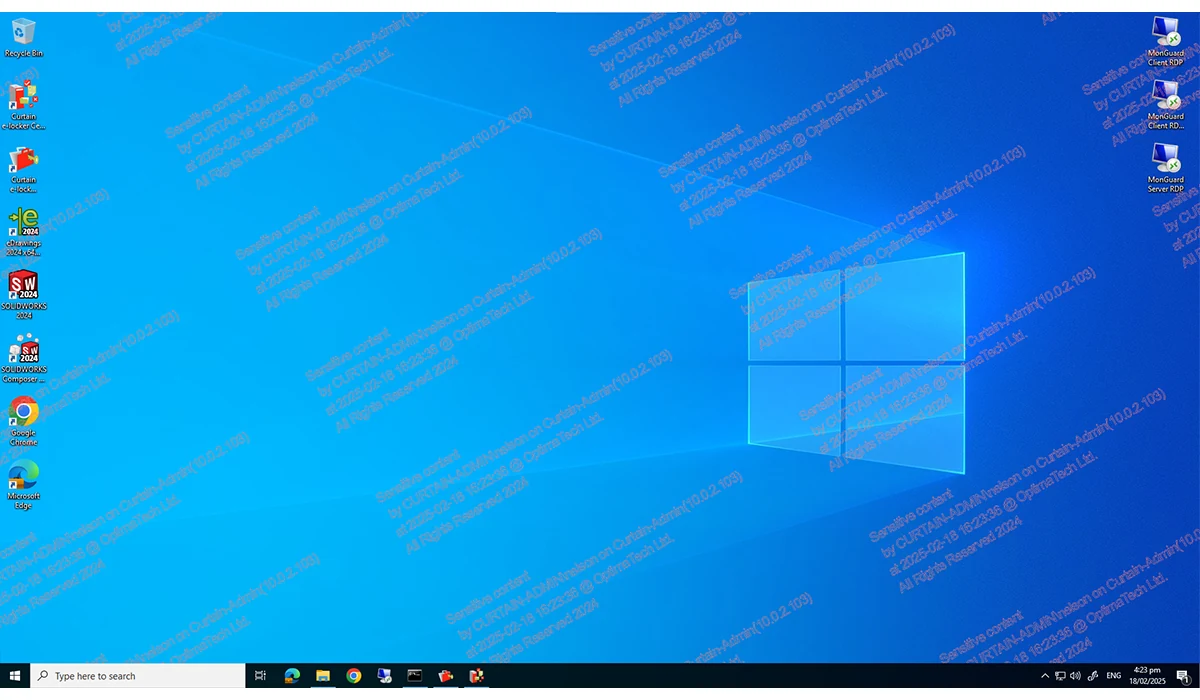
Covers the whole desktop, including every application and the desktop background.
Drag the divider left and right. The right-hand side is the same computer with watermarking switched on — once the screen is photographed or captured, the watermark details travel with the image, which helps narrow the scope of an investigation.
Key accounts and contract values (not published)
| Client | Industry | Annual contract |
|---|---|---|
| Group A | Financial services | 8,400,000 |
| Holdings B | Logistics | 5,120,000 |
| Medical C | Healthcare | 3,760,000 |
| Education D | Education | 1,980,000 |
Key accounts and contract values (not published)
| Client | Industry | Annual contract |
|---|---|---|
| Group A | Financial services | 8,400,000 |
| Holdings B | Logistics | 5,120,000 |
| Medical C | Healthcare | 3,760,000 |
| Education D | Education | 1,980,000 |
Below is a simulated photograph of a screen taken with a phone. The watermark is unreadable at a glance, but magnified, the identifying details become legible. Drag the magnifier across it.
Salary bands by grade (not published)
| Grade | Minimum | Midpoint | Maximum |
|---|---|---|---|
| P1 Assistant | 18,000 | 21,500 | 25,000 |
| P2 Officer | 26,000 | 32,000 | 38,000 |
| P3 Manager | 42,000 | 52,000 | 63,000 |
| P4 Director | 78,000 | 96,000 | 120,000 |
Move your pointer across the image (or drag with a finger)
Sweep the magnifier across the image to pick out each one.
PC-ACME-04272026-11-10 14:32j.chanAll three watermark details can be read from the image, helping to identify the device, user and time involved and narrow the scope of an investigation.
User name and IP address watermarks are available in the paid version only; the fields actually available depend on your version and settings. Screen watermarking does not guarantee that the source of a leaked image can be identified.
Document, email and USB controls cannot stop someone photographing a screen with a phone. A screen watermark puts identifying details into any captured image, which helps close that gap.
01
Organisations running both Windows and Mac can watermark both (macOS currently provides full-screen watermarks).
02
The watermark stays on screen when staff view sensitive data at home or on the move, reminding them of data security policy.
03
If a screen image leaks, the watermark details can help identify the computer and time involved and narrow the investigation.
Each feature shows its edition and platform. See the features page for details.
Shows a watermark across the whole desktop, with details such as computer name, date and time.
Free and paid · Windows, macOSShows the watermark only on selected applications, leaving others untouched.
Free and paid · currently confirmed on WindowsFixed text, date and time, and computer name; user name and IP address are paid-only.
Content options depend on editionCreate and deploy watermark policies from the admin server to every computer.
Free and paid · Admin server: WindowsWorks with existing directory services to simplify user and deployment management.
Free and paidA password is required before the client can be removed, reducing accidental or deliberate removal.
Paid onlyThe images below are illustrative scenario images, not software screenshots.

Watermark details on a captured image help identify the device, user and time involved, and remind staff to follow data security policy. Whether details such as the user name can be shown depends on the edition and settings.
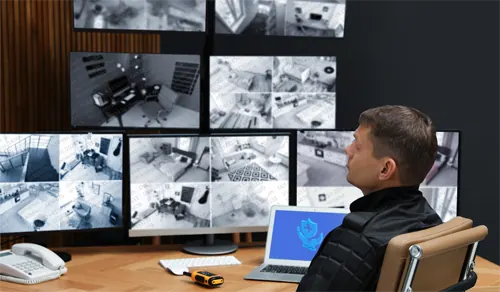
Show a watermark on computers that play CCTV footage to deter unauthorized screenshots and recordings. On Windows, the application watermark can limit it to the relevant program.

Watermark presentation or training screens to deter unauthorized recording or sharing of internal material.

A visible watermark deters staff from photographing sensitive data and posting it on social media. If an image leaks, the watermark details can help narrow the investigation.

When reviewing financial, legal or R&D material, the watermark keeps reminding reviewers that the data is protected.
Watch the software in action and see how to set the watermark content and where it appears.
Switch between versions to see what the free version includes and what the paid version adds.
Displays a watermark across the whole desktop, which can include the computer name, date and time.
Free and paid · Windows, macOSDisplays a watermark only in selected applications, leaving others unaffected.
Free and paid · Confirmed on WindowsCreate and deploy watermark policies from the management server across every computer.
Free and paid · Management server: WindowsWorks with your existing directory service to simplify user and deployment management.
Free and paidThe watermark can additionally show the signed-in user name and IP address, making the identifying details more specific.
Paid version onlyA password is required before the client can be uninstalled, reducing the risk of accidental or deliberate removal.
Paid version onlyVersion and platform availability for each feature follows the published product information; see the product page for details.
Estimated instantly from the paid edition reference price of US$10.12 per computer per year, billed annually, with a minimum order of 5 PCs. The final quotation, applicable version and any discounts are confirmed by the sales team.
50computers
An estimate based on the published reference price. It is not a quotation.
The final quotation is confirmed by the sales team.
Request a formal quotationThe paid edition starts at US$10.12 per PC per year, with savings on multi-year terms. Reference prices for each edition are below.
| Edition | Yearly | Every 2 years | Every 3 years |
|---|---|---|---|
| Curtain MonGuard paid editionFull-screen and application watermarks, custom watermark content, user name and IP address watermarks, unified management portal, uninstall password, AD/LDAP integration, technical support and updates. | US$10.12 | US$19.23 | US$27.32 |
| Curtain MonGuard + LogTracePaid edition features plus file activity monitoring: file operation, print and application logs, with MySQL / MS SQL database support. | US$20.24 | US$38.46 | US$54.65 |
| Curtain MonGuard + PrintTrailPaid edition features plus printout watermarks and print file operation logs. | US$20.24 | US$38.46 | US$54.65 |
| Curtain MonGuard FreeBasic screen watermarks and central management; may be used commercially. | Free · Request the free version | ||
Both editions may be used commercially. The free version suits evaluating basic screen watermarks and central management. When you need user name or IP address watermarks, an uninstall password or other advanced management, look at the paid edition.
Reference price: US$10.12 per PC per year, billed annually; US$19.23 for 2 years, US$27.32 for 3 years
The minimum order is 5 PCs. Final quotation, applicable edition and discounts are confirmed by the sales team.
Tell us about your company and environment.
We confirm the edition you need and the platforms it will run on.
The sales team provides them as agreed with you.
Curtain MonGuard is screen watermark software for Windows and macOS. Administrators can show a watermark on user computers with fixed text, computer name, date and time, plus user name and IP address in the paid edition. It deters unauthorized capture and sharing and, if an image leaks, helps narrow the investigation.
No. Screen watermarks deter misuse and help with tracing. They cannot stop every photo or screenshot, and they do not guarantee that the source of a leaked image can be identified. Use them alongside other data security measures.
Yes. Clients show screen watermarks on Windows and macOS. Application watermark: currently confirmed on Windows; public information for macOS currently confirms the full-screen watermark only. The admin server runs on Windows.
The free version includes screen watermarks (fixed text, date and time, computer name), full-screen watermark, application watermark (currently confirmed on Windows), conditional display, Active Directory integration, self-protection and central management. User name and IP address watermarks, the uninstall password and other features are in the paid edition.
Use the on-site form to request the free version or explore a trial of the paid edition.